• +60379566306
  • info@6sigmasynergy.com.my
Follow Us :
  • Enquire Now
Six Sigma Synergy
  • Data Analysis NEW
    • MICROSOFT EXCEL (INTERMEDIATE) HOT
    • MICROSOFT EXCEL (ADVANCED)
    • MICROSOFT EXCEL AND PIVOT TABLE
    • Microsoft Excel Power BI HOT
    • Microsoft Power BI Certification HOT
    • Tableau Desktop NEW
    • Python For Data Science / Data Analysis
  • Lean Six Sigma HOT
    • Lean Thinking
    • Lean Practitioner
    • Lean Six Sigma Yellow Belt Certification
    • Lean Six Sigma Green Belt Certification
    • Lean Six Sigma Black Belt Certification (Service Sector)
    • Lean Six Sigma Black Belt Certification (Industrial Sector)
  • CAD course
    • AutoCAD 2D
    • AutoCAD 3D
    • AutoCAD Electrical
    • Ansys Workbench
    • Ansys Fluent
    • AutoDesk Inventor
    • SolidWorks
    • PLC Engineering NEW
    • Revit MEP
    • Revit Architecture
  • Project Management
    • Project Management Professional HOT
    • Primavera
    • Microsoft Project Training HOT
    • PMI – Agile Training
    • PPM Concepts
  • EXIN Courses
    • EXIN BCS Artificial Intelligence Foundation NEW
    • EXIN BCS Generative Artificial Intelligence Award NEW
    • EXIN Privacy and Data Protection Foundation
    • EXIN Information Security Foundation based on ISO/IEC 27001
    • EXIN Privacy and Data Protection Professional
    • EXIN BCS Machine Learning Award
    • EXIN Data Analytics Foundation
  • Others
    • ASME B31.3 – BASIC NEW
    • ASME B31.3 – INTERMEDIATE NEW
    • Generative AI and Prompting for Business Innovation and Productivity
    • Advanced Executive Certificate in Generative AI, Prompting and AI Employee Creation Mastery
  • Contact Us
Six Sigma Synergy

Contact Info

  • C-18-06, 3 two square, Block C, 6th floor, Jalan 19/1, 46300 Petaling Jaya, Selangor, Malaysia
  • +60379566306
  • info@6sigmasynergy.com.my
  • Home
  • Courses
  • MICROSOFT EXCEL (INTERMEDIATE)

MICROSOFT EXCEL (INTERMEDIATE)

MICROSOFT EXCEL (INTERMEDIATE)
  • OVERVIEW

  • LEARNING OUTCOME

  • METHODOLOGY

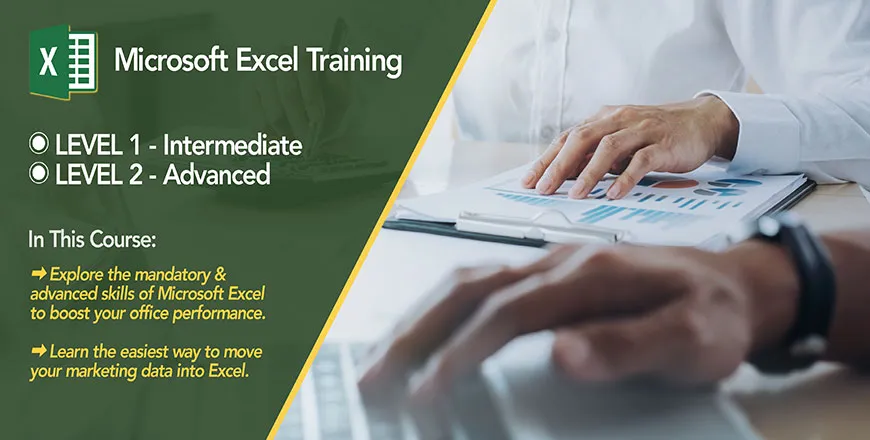
The Excel Intermediate training is for participants who have basic Excel skills and are looking to enhance their knowledge in composing formulas and applying them to manipulate data. Participants will learn how to audit and correct their formulas. They will also learn to work with Excel functions from the date and time functions, text functions, statistics functions and lookup functions. The training will also train them to work with many worksheets and large worksheets and finally print the worksheets

This training will enable candidates to: -

  • Create formulas
  • Audit formulas
  • Correct errors
  • Apply Excel functions
  • Work with many worksheets
  • Work with large worksheets
  • Number formatting
  • Create charts.

Hands on session

Training Course Outline

Creating and auditing formulas

  • Constructing formulas in Excel.
  • Understating Excel’s data types
  • The four step process of auditing formula in Excel.
  • Understanding Excel errors and how to correct them.
  • Working with relative reference and absolute reference formulas.

Creating formula using named range

  • Naming a cell as an alternative to absolute reference.
  • Naming a range of cells.
  • Using the names in the formula.
  • Editing and deleting the names.
  • Using named formulas as an alternative to paste link.

Functions

  • Getting Help with Functions.
  • Understanding function syntax and differentiating from required argument and optional argument.
  • Reading the Microsoft documentation on help about function.

TEXT FUNCTIONS

  • Functions to split data.
  • Functions to join data.
  • Functions to clean data with white spaces and unprintable characters.
  • Functions to convert data types.

Time & Date Functions

  • The concept of date and DATESERIAL in Excel.
  • The concept of time in Excel.
  • The Date and Time data type.
  • Solving problems relating to date and time.
  • Calculating future and paste dates.
  • Important Date and Time Functions.

Logical Functions

  • How and when to use logical functions.
  • The IF functions.
  • Using nested IF function to solve multiple criteria problems.
  • Applying the AND and OR function.
  • Applying the IFS function

Statistical Functions

The various COUNT functions to detect data irregularity.

The conditional statistics functions: SUMIF, SUMIFS, AVERAGEIF, AVERAGEIFS, COUNTIF and COUNTIFS.

Lookup Functions

  • Excels lookup functions.
  • LOOKUP as an alternative to the IF logic.
  • LOOKUP array form and vector form.
  • Left lookup using LOOKUP.
  • VLOOKUP and HLOOKUP.
  • Understanding how to choose approximate match and exact match.

Formatting data in excel

  • Using the preset formatting to format data.
  • Creating your custom Number Formats.
  • Creating formats for large numbers using prefixes such as “k”, “M” and “G”.
  • Inserting symbols in number formats.

working with many worksheets

  • Creating multiple windows.
  • Tilling the windows.
  • Arranging the windows horizontal and vertical.
  • Cascading the windows.

Working with large worksheet

  • Splitting window to show various parts of a worksheet.
  • Freezing top rows.
  • Freezing left columns.
  • Freezing rows and columns.

Paste Special Options.

  • Using Paste Special to Add, Subtract, Multiply & Divide.
  • Using Paste Special ‘Values’.
  • Using Paste Special Transpose Option.

Charts

  • Create sparklines
  • Create charts and work with the various chart options.
  • Standard charts will be covered: Column chart, Bar chart, multi column chart, pie chart and line chart

Course Info

  • No. Of Days: 2 Days
  • Language:English
Enquire Now
Six Sigma Synergy

If you are project engineers, graduate students, school leavers, planners or designers who are looking for any of the above training courses, Six Sigma Synergy is the best choice!

Quick links

  • About Us
  • Blog

Useful Links

  • Register with us
  • Enquire Now
  • Contact us

Connect

C-18-06, 3 two square, Block C, 6th floor, Jalan 19/1, 46300 Petaling Jaya, Selangor, Malaysia

  • Phone : +60379566306

  • Email : info@6sigmasynergy.com.my

© Copyrights , Six Sigma Synergy. All Rights Reserved.
Developed By Techno Vibes

Trams & Condition Privacy Policy Contact Us
Send an Enquiry